시작하며
MySQL(MariaDB)에서 많이 쓰이는 backup 도구는 mysqldump와 xtrabackup(mariabackup)이 있다. 간단한 사용 방식들을 정리해 본다.
mysqldump
MySQL을 논리적으로 백업하는 도구이다. 사용법이 간단해서 작은 규모의 디비를 백업&복구할 때 사용하고 있다.
mysqldump --all-databases > dump.sql 명령어로 간단하게 백업을,
mysql < dump.sql 명령어로 복구를 할 수 있다.
실제로는 여러 옵션을 넣어서 사용하고 있다.
mysqldump --routines --events --single-transaction --max_allowed_packet=512M --master-data=2 --all-databases > /DATA/backup/dump_$DAY.sql-routines: 저장 프로시저와 함수를 포함하여 루틴을 백업합니다.-events: 이벤트를 백업합니다.-single-transaction: 전체 백업 작업을 하나의 트랜잭션으로 처리하여 일관성 있는 백업을 보장합니다.-max_allowed_packet=512M: 전송되는 최대 패킷 크기를 512 메가바이트로 설정합니다. 이는 대규모 데이터베이스를 백업할 때 유용합니다.-master-data=2: 백업 파일에 마스터 서버 정보를 포함합니다. 2는 GTID를 사용하는 경우 백업 파일에 GTID 정보가 포함되도록 지정하는 것을 의미합니다.-all-databases: 모든 데이터베이스를 백업합니다.> /DATA/backup/dump_$DAY.sql: 백업 파일을/DATA/backup디렉토리에dump_$DAY.sql파일 이름으로 저장합니다.$DAY는 셸 변수로 현재 날짜를 나타냅니다.
xtrabackup(mariabackup)
xtrabackup —user=id—password=pw—backup —no_lock —target-dir=./
mysql shell
스터디에서 mysql shell로 백업&복구하는 방법에 대해서 얘기가 나왔다. 기존에 위에 두 가지 방법으로만 백업을 수행했는데 mysql shell이 속도가 더 빠르다는 얘기를 듣고 직접 테스트한 결과를 적어본다.
설치
wget https://dev.mysql.com/get/Downloads/MySQL-Shell/mysql-shell-8.0.32-linux-glibc2.12-x86-64bit.tar.gz접속
./mysqlsh --uri={id}@127.0.0.1:{port} --password={pw}
or
./mysqlsh -uri {id}@127.0.0.1:{port} -p{pw}
명령어
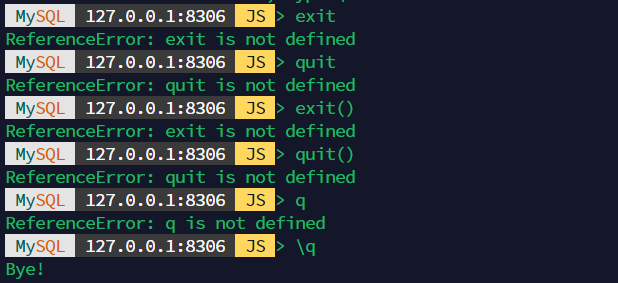
\sql, \py 등의 명령어로 입력 모드를 변경할 수 있다
util.dumpInstance("/root/mysqlsh_test/",
 {threads: 8,
 showProgress: true,
 users: false})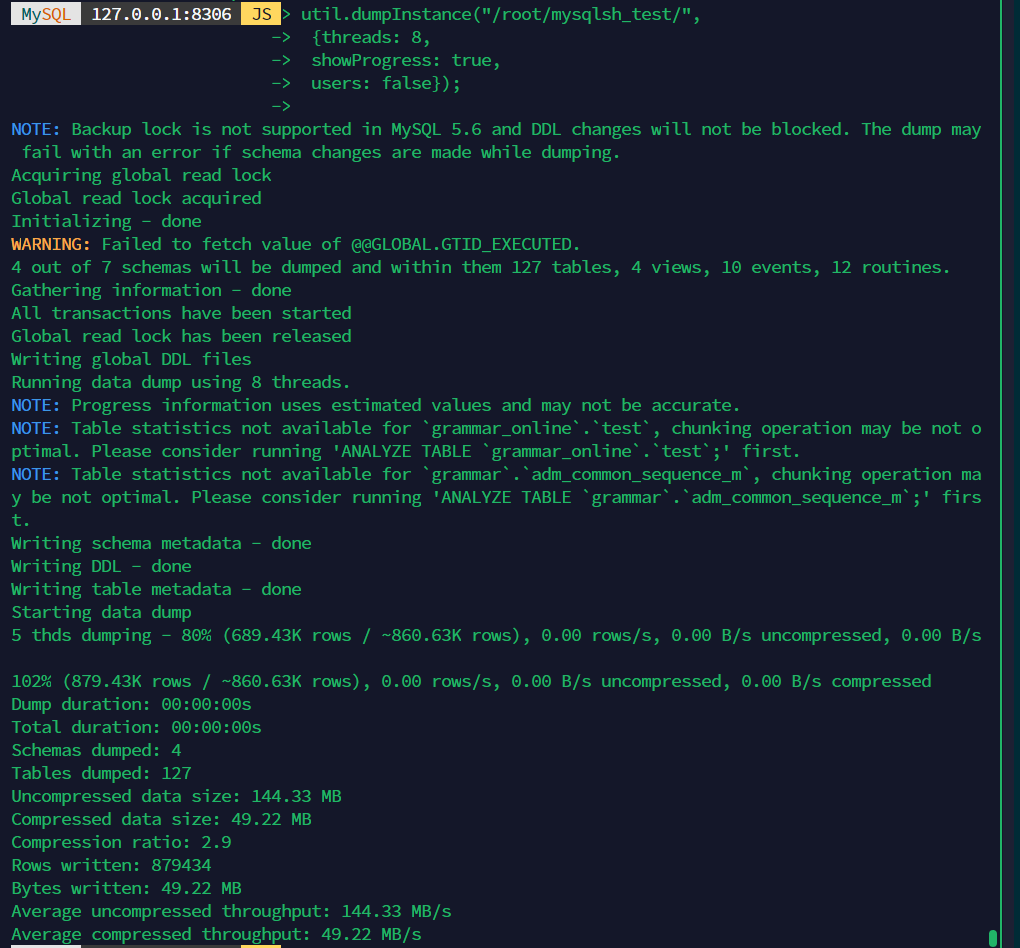
- threads : data chunk dump 시 사용할 thread 수 (기본값 4)
- maxRate : dump 중 데이터 읽기 처리량에 대한 thread 당 초당 최대 바이트수 (0, 빈값 지정시 제한 없음)
- showProgress : dump 진행 정보 표시여부 (true/false)
- compression : dump 데이터 파일 압축 유형 (기본 zstd)
- excludeSchemas /excludeTables : 지정한 schema/table 제외하고 dump
- includeSchemas / includeTables : 지정한 schema/table 만 dump
- excludeUsers : 지정한 사용자 계정을 제외하고 dump
- includeUsers : 지정한 사용자 계정만 dump
- compatibility : 호환성을 위해 dump 시 DB 설정을 변경해서 dump
- users, event, routines, triggers : dump 에 사용자, 이벤트, 함수, 저장프로시저, 트리거 포함여부 (true/false)
- defaultCharacterSet : dump 를 위해 MySQL Shell 에서 MySQL 서버로 연결할 때 사용할 캐릭터셋
- consistent : 일관된 데이터 백업을 위해 dump 시 인스턴스 잠금을 할지 여부 (true/false)
- ddlOnly : 데이터 없이 DDL 문만 dump 할지 여부 (true/false)
- dataOnly : 데이터만 dump 할지 여부 (true/false)
- chunking : 테이블 데이터를 여러 파일로 분할 여부 (true/false)
- bytesPerChunk : chunk 활성화시 chunk 파일 크기
20c 128g 백업 376G 스레드10 : 6분 58초, 원격지 15분 스레드20 : 5분 16초
복구
util.loadDump("/root/mysqlsh_test/",
 {threads: 8,
 ignoreExistingObjects:true,
 resetProgress:true})
Util.loadDump: Unknown system variable 'server_uuid' (MYSQLSH 1193)
복구할 때 오류가 발생한다.
show variables like ‘server_uuid’;
Empty set (0.0017 sec)
없네…. 마리아에서는 안 되겠다…
나중에 mysql에서 다시 해보자..